
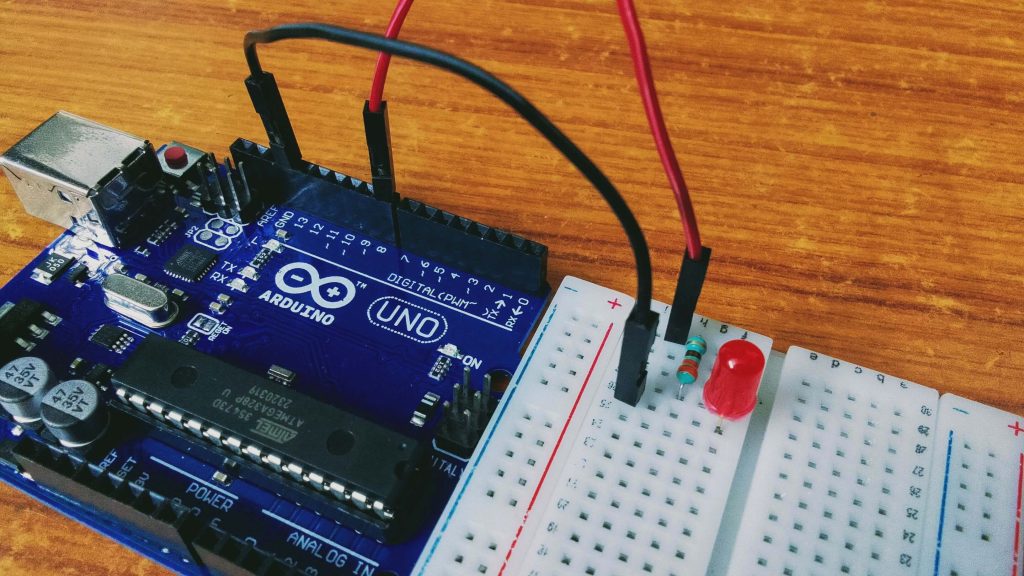
Have you ever wanted to make an LED blink using an Arduino? In this beginner-friendly tutorial, you will learn how to connect an LED to an Arduino Uno, upload a simple program, and understand how the circuit works.
This is a great first electronics project for students, hobbyists, and anyone who wants to learn Arduino programming through practical experiments.
Components Required
- Arduino Uno
- 1 red LED
- 1 resistor(220 Ohm)
- Breadboard
- Jumper wires
- USB cable for the Arduino Uno
the resistor helps limit current through the LED and protects it from damage.
Circuit Connections
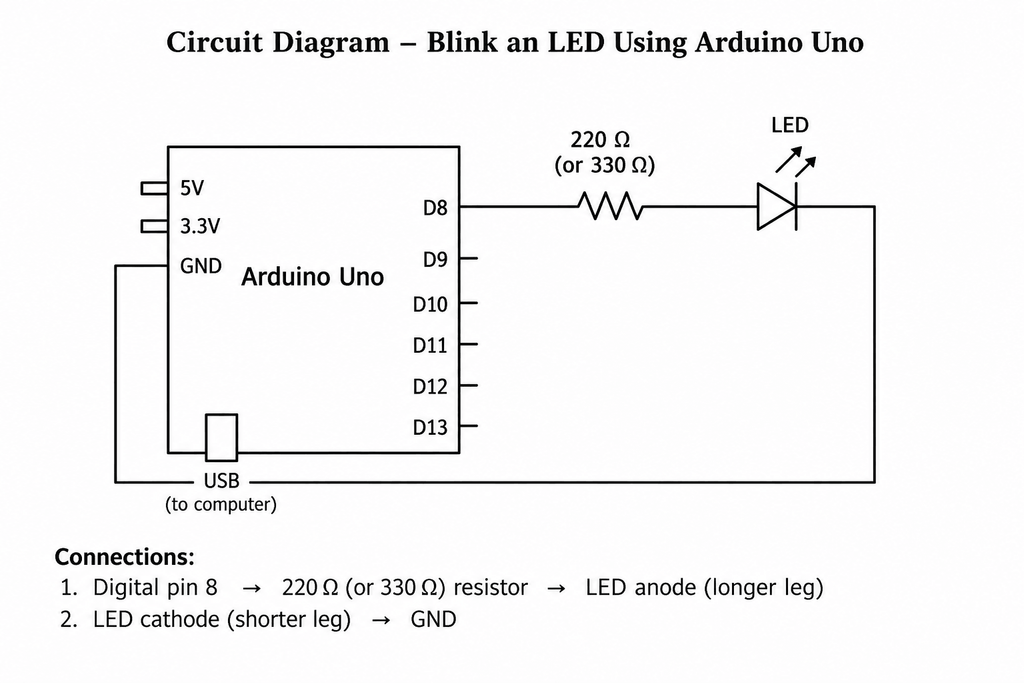
Connect the LED to Arduino Uno using a breadboard and jumper wires. For this example, we will use digital pin 8 to control the LED.
- Connect Arduino digital pin 8 to one end of a 220 Ω to 330 Ω resistor.
- Connect the other end of the resistor to the LED’s anode (the longer leg).
- Connect the LED’s cathode (the shorter leg) to Arduino GND.
Important: The resistor must be connected in series with the LED to limit current.
Arduino Code
Upload the following program to your Arduino Uno using the Arduino IDE. The LED will turn on for one second and then turn off for one second, repeating continuously.
const int ledPin = 8;

void setup() {
  pinMode(ledPin, OUTPUT);
}

void loop() {
  digitalWrite(ledPin, HIGH);
  delay(1000);

  digitalWrite(ledPin, LOW);
  delay(1000);
}
Why this code works:
pinMode() configures pin 8 as an output.
HIGH turns the LED on.
LOW turns the LED off.
delay(1000) waits for 1,000 milliseconds (one second).
Working Principle
The Arduino Uno executes the instructions inside the loop repeatedly. First, digital pin 8 goes HIGH, allowing current to flow through the resistor and LED. After one second, the pin goes LOW, turning the LED off. This cycle repeats until the Arduino is disconnected or reset.
This project demonstrates digital output control and the use of timing functions in Arduino programming.
Troubleshooting
If your LED does not blink, check the following points:
- Check LED polarity: The longer leg is usually the anode, and the shorter leg is the cathode.
- Check the wiring: Make sure the resistor is connected in series with the LED, between digital pin 8 and the LED’s anode.
- Check the ground connection: The LED’s cathode must connect to Arduino GND.
- Check the code: Confirm that the program uses pin 8 and that it has been uploaded successfully.
- Check the USB connection: Ensure that the Arduino Uno is connected properly to your computer.
Always disconnect the USB cable before changing circuit connections.
Conclusion
Congratulations! You have learned how to blink an LED using Arduino Uno. This simple project introduces digital outputs, basic circuit connections, and Arduino programming. You can build on this knowledge to explore LEDs, sensors, buzzers, and other electronics projects.
Keep learning and experimenting with Su-Din Technology !