

Introduction
Here we are trying to measure and display the value of temperature and humidity. By writing code for arduino and using temperature and humidity sensor(DHT11) we will be able to measure the parameters. We are going to display the values by using a 16×2 LCD.
Hardware required
DHT11
Arduino Uno Board
Bread Board
LCD
Jumpers
What is DHT11
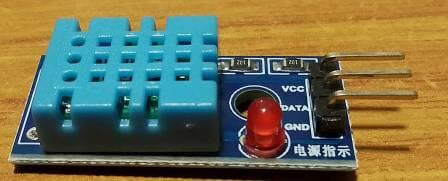
It is a basic, low cost digital temperature and humidity sensor. It consists of a thermistor and a capacitive humidity sensor to measure the surrounding air. There is also an 8-bit microcontroller inside it, which converts the analog signals from both the sensors and provids us a single digital signal. It has three pins Ground(GND), DATA and VCC.
Wiring
Connect the DHT 11 and LCD with the arduino uno according to the diagram given below. The ground pin of LCD and DHT11 must be connected to the ground pin of arduino uno.
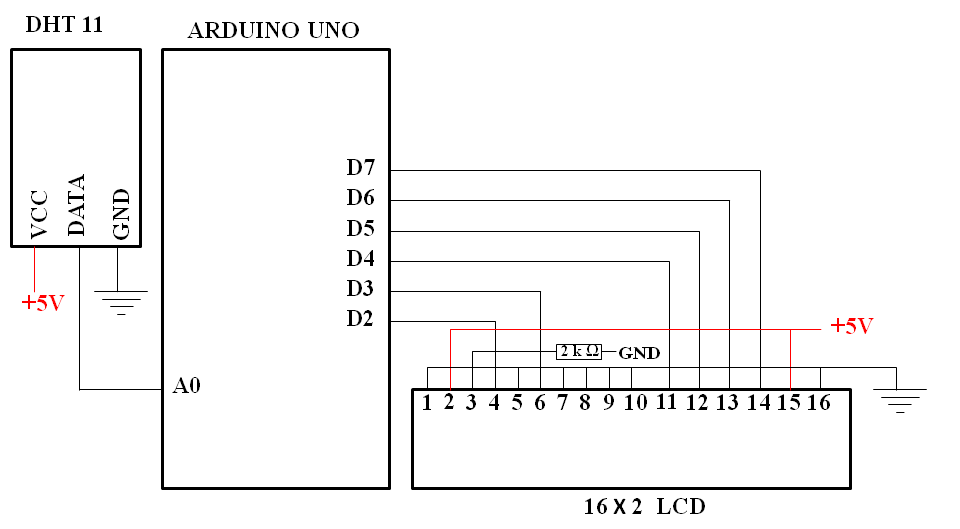
Copy the code written below and paste it in Arduino IDE software. Install the dht.h library.
The arduino code
#include <LiquidCrystal.h>
#include “dht.h”
#define dht_apin A0 // Analog Pin sensor is connected to
dht DHT;
LiquidCrystal lcd(2,3,4,5,6,7);// Initialize the interface pins
byte degree[] = {
B00010,
B00101,
B00010,
B00000,
B00000,
B00000,
B00000,
B00000
};//This is for creating a degree symbol in LCD
void setup() {
lcd.begin(16, 2);
lcd.createChar(0, degree);
lcd.home();
lcd.setCursor(12,0);
lcd.write((byte)0);
}
void loop(){
DHT.read11(dht_apin);
lcd.setCursor(0,0);
lcd.print(“Temp = “);
lcd.setCursor(7,0);
lcd.print(DHT.temperature);
lcd.setCursor(9,0);
lcd.print(” “);// This is for not representing fractional values in LCD
lcd.setCursor(13,0);
lcd.print(“C”);
lcd.setCursor(0,1);
lcd.print(“Humidity = “);
lcd.setCursor(11,1);
lcd.print(DHT.humidity);
lcd.setCursor(13,1);
lcd.print(” % “);
delay(1000);
}
//end of the program
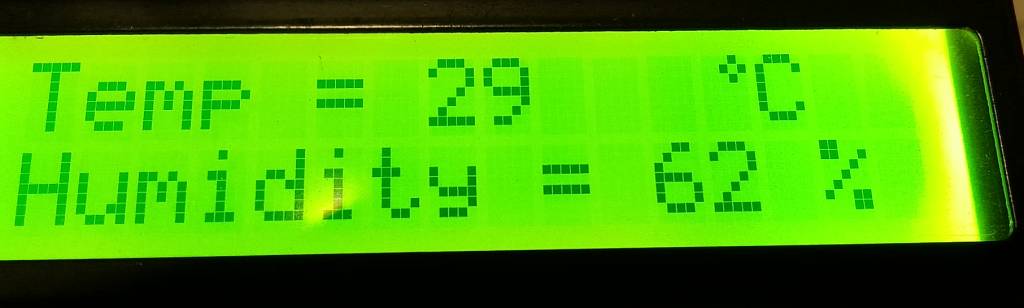
Here creating the degree symbol before Celsius is quite interesting. Actually we have to create the special character. You can take the help of IOXhop website. It is an open source web tool for creating characters with arduino code for your LCD.
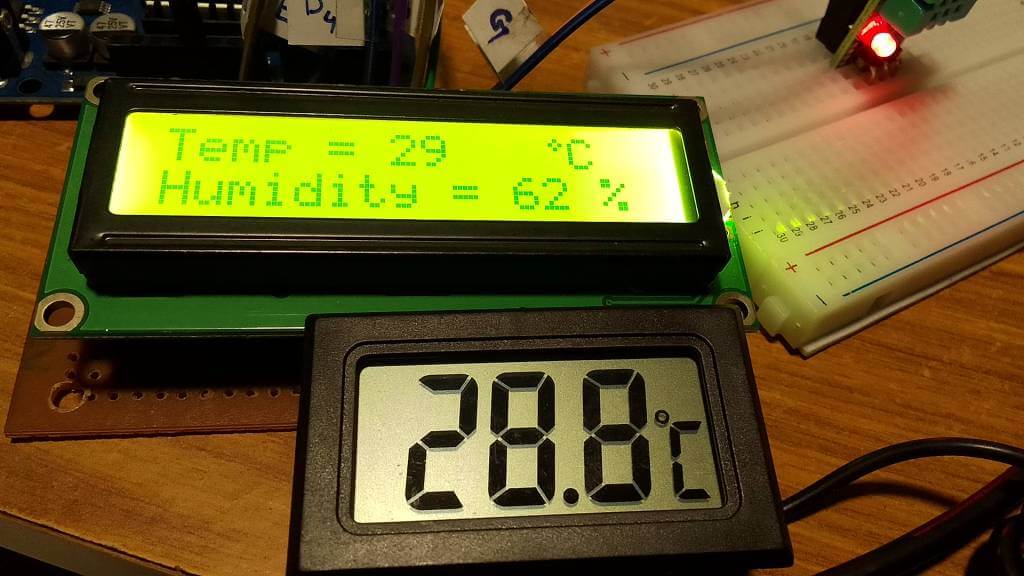
I am comparing the temperature value of LCD with my digital temperature display and getting approximately the same reading. That means our sensor is working fine.
Contact:
Er. Anil Kumar Prusty
Phone: 9861004895